Granola's Voice typing can interfere with Wispr Flow dictation
Last updated: October 24, 2026
Available on: Mac, Windows
We're aware that a recent Granola update may interfere with your Wispr Flow experience. If you use both apps, you may notice dictation behaving unexpectedly: your shortcut might do nothing at all, open Granola instead, or start and stop at the wrong moment. Good news, it's a quick fix. Here are the steps to restore your shortcut.
Turn off Voice typing in Granola
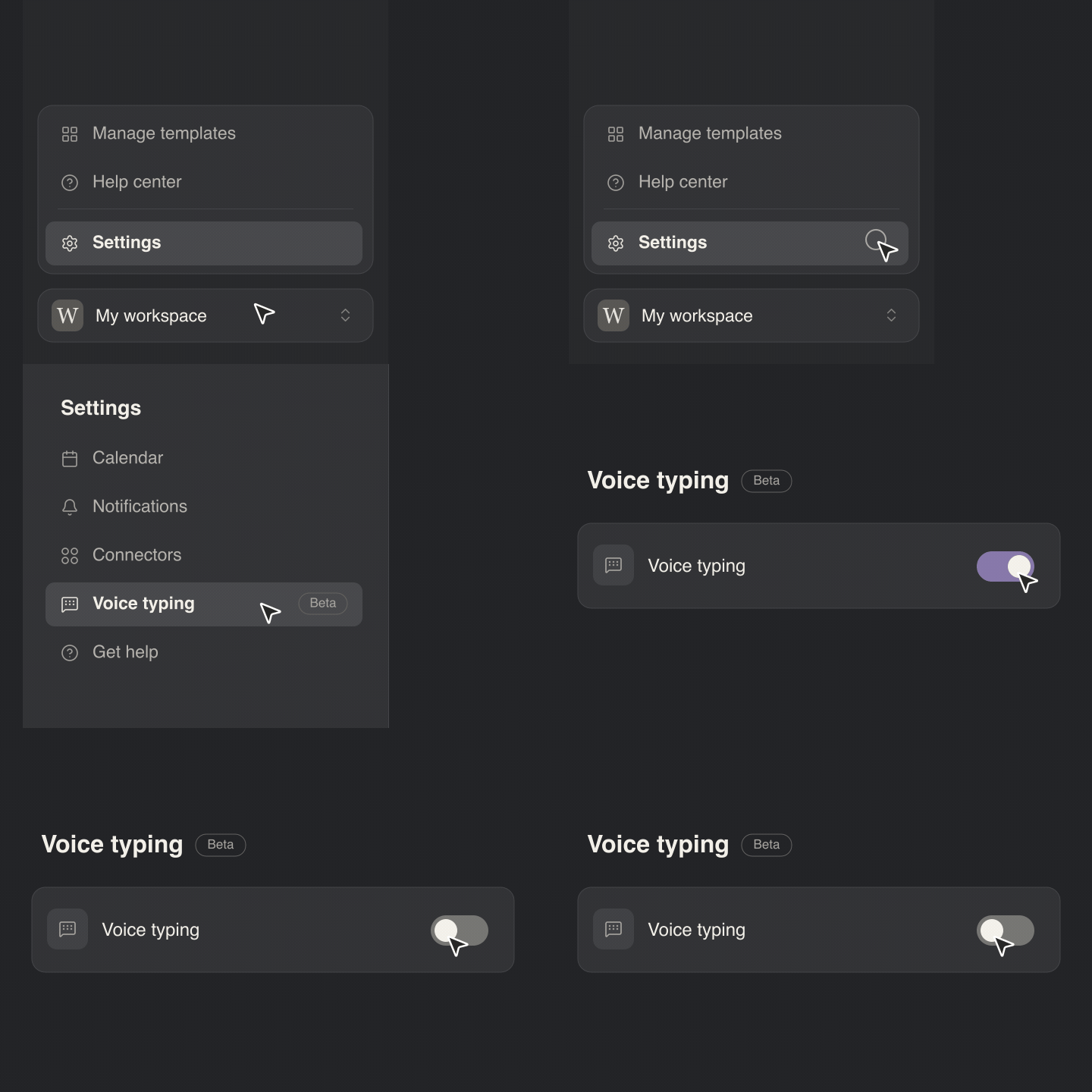
Open Granola, click your workspace name in the bottom-left corner, then select Settings.
Select Voice typing in the settings sidebar.
Click the green Voice typing toggle at the top to turn it off.
Confirm the toggle is gray. Voice typing is now off and your Flow shortcut works again, with no restart needed.